No. API access is not available on all tiers of the AppSumo or Lifetime deal plans. You can get access by upgrading to our unlimited plan.
AppSumo Plans Help
Updated 4 weeks ago
Getting help: Lifetime plans include self-serve help from this help center and the AI assistant. Direct support contact requires a subscription: open Help & support in your dashboard sidebar to contact the support team, upgrade, or request a feature. See Contacting support for the full workflow.
Ran Out of Balance
Note: Unused credit allowances reset each month while allocating new allowance for the next month. So, if your plan tier gives you 400 credits per month, you will never have more than 400 allowance credits.
You monthly allowance are used for transcriptions and generating ai summaries and reports. You can verify your charges by looking at your full usage logs here
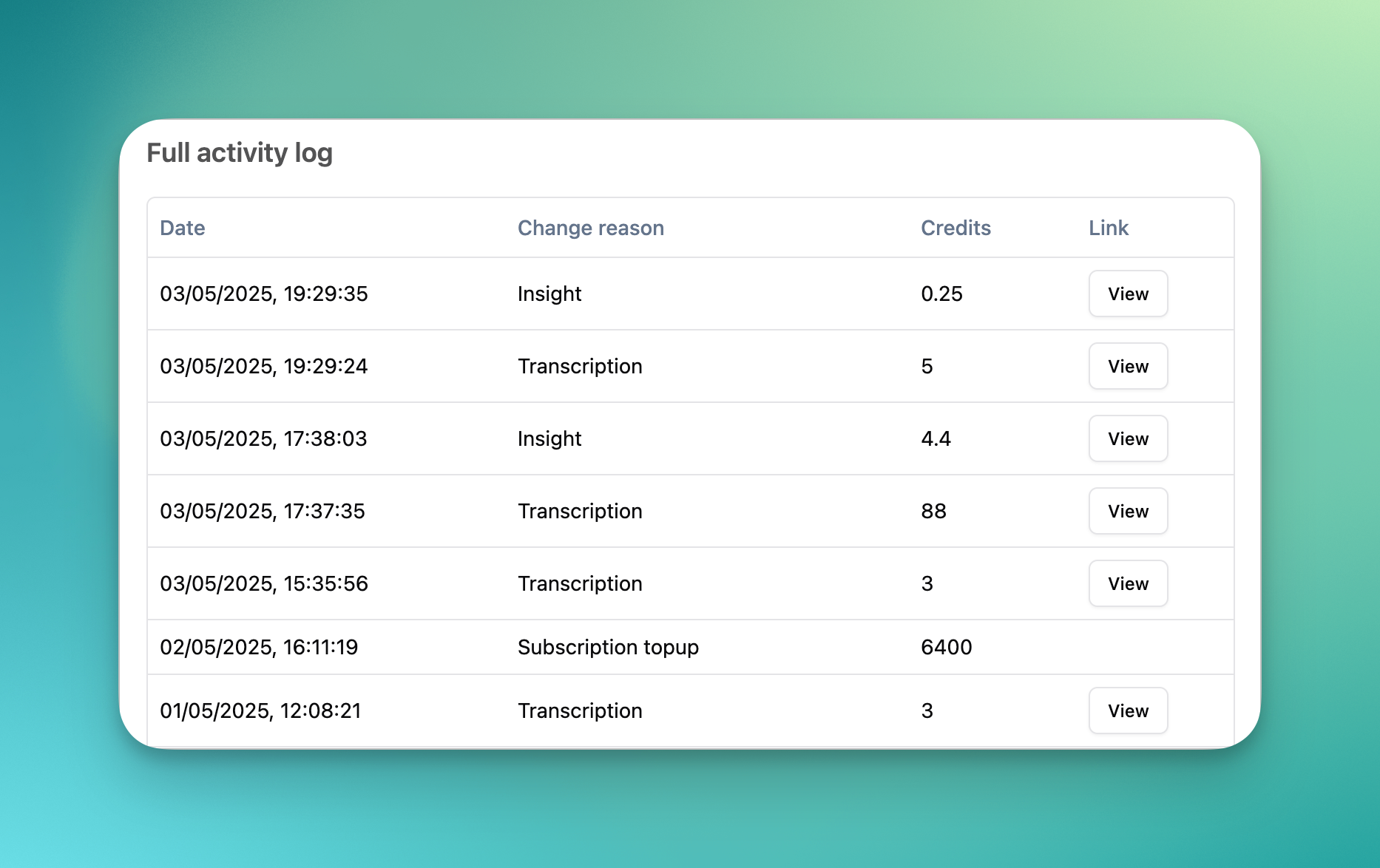
If you need more credits before your next topup date, you can topup or take a flexible subscription from the billing page. For larger volumes, we advice taking one of our flexible subscription plans.
Upgrading To Unlimited
Our Unlimited plans gives you unlimited manual transcriptions. As an AppSumo user, you can upgrade to our Unlimited without losing your LTD benefits.
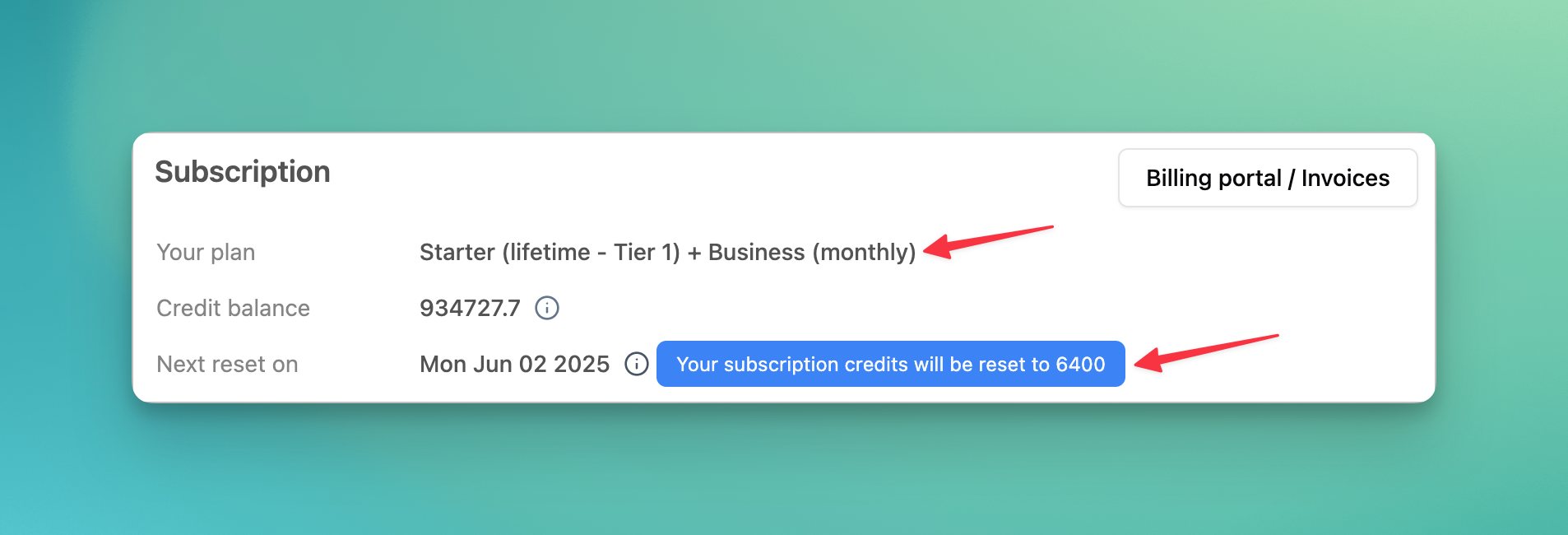
You will get the combined benefits of your LTD Tier + Unlimited plan
You account will revert to your LTD benefits when your subscription ends
LTD Topups
All LTD accounts are topped up every 30 days. The topup takes place at 11:59 PM GMT. You can check your next topup date on your billing page here
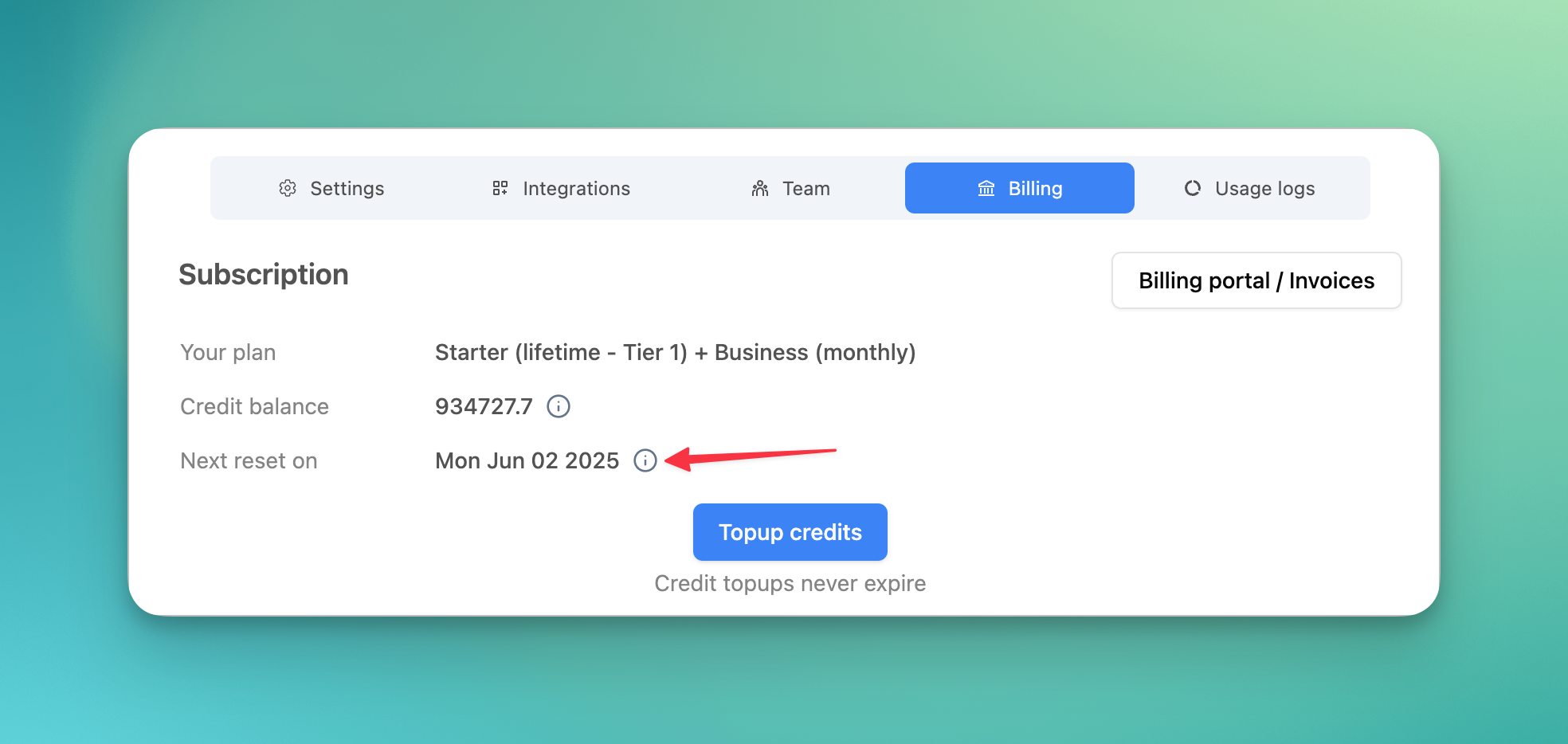
Please wait till end of the day (midnight in GMT) shown here for your account to top up.
LTD vs Unlimited Plan
As per the terms of our AppSumo deal, You will receive the equivalent of your LTD benefits as follows:
Tier 1 — 400 credits (equivalent to 400 minutes)
Tier 2 — 800 credits (equivalent to 800 minutes)
Tier 3 — 1600 credits (equivalent to 1600 minutes)
Tier 4 — 2400 credits (equivalent to 2400 minutes)
For more details about our deal, refer to our AppSumo listing page
Here’s how your LTD account compares with our Unlimited subscription plan
Benefit | LTD Plan | LTD + Unlimited Plan |
Monthly topup | 400 to 2400 credits | 2000 credits + LTD Plan credits |
Manual transcriptions* | 60 credits per hour | FREE |
Automated transcriptions* | ❌ | 60 credits per hour |
API access | ❌ | ✅ |
Zapier access | ❌ | ✅ |
YouTube auto imports | ❌ | ✅ |
Zoom auto imports | ❌ | ✅ |
Google Drive, Dropbox, Box etc. | ❌ | ✅ |
Chatbot for transcripts | ✅ | ✅ |
Custom prompts for transcripts | ✅ | ✅ |
Reports | ✅ | ✅ |
Account Topups | ✅ | ✅ |
Additional Seats | ❌ | $120 per seat (yearly) |
Support | Help Center | Help Center |
*Manual Transcriptions are all transcripts that are creating using following options:
All options on our import interface:
Google Drive, Dropbox, Box, One Drive
Zoom Recordings
Audio or Screen recording
Messaging integrations:
WhatsApp
Telegram
Chrome Extension
*Automated Transcriptions are transcripts created using automation tools such as Zapier, Make, our API, or the new bulk importer tool (only available on Unlimited plan)
** Fair usage limits apply for unlimited usage. We have users who transcribe over 40,000 minutes per month without issues on a single Unlimited plan
Upgrading LTD Plans
Our AppSumo and Lifetime deals in general, have all ended.
It is not possible to upgrade your tier or purchase a lifetime deal anymore.
You can Upgrade to one of our subscription plans — your LTD credits will stack on top of the plan’s benefits
You can cancel your subscription to Unlimited Plan anytime and you will revert back to your LTD plan benefits at the end of your subscription.
Cannot see my AppSumo benefits
This happens due to one of the following 2 reasons:
You haven't redeemed your codes
You have to redeem your AppSumo codes to see benefits.
See section about redeeming codes
You have refunded your purchase
If you have refunded your purchase after redeeming your code, your benefits will be reset.
This may not happen immediately after a refund.
We process refunds in batches.
Finding your LTD account
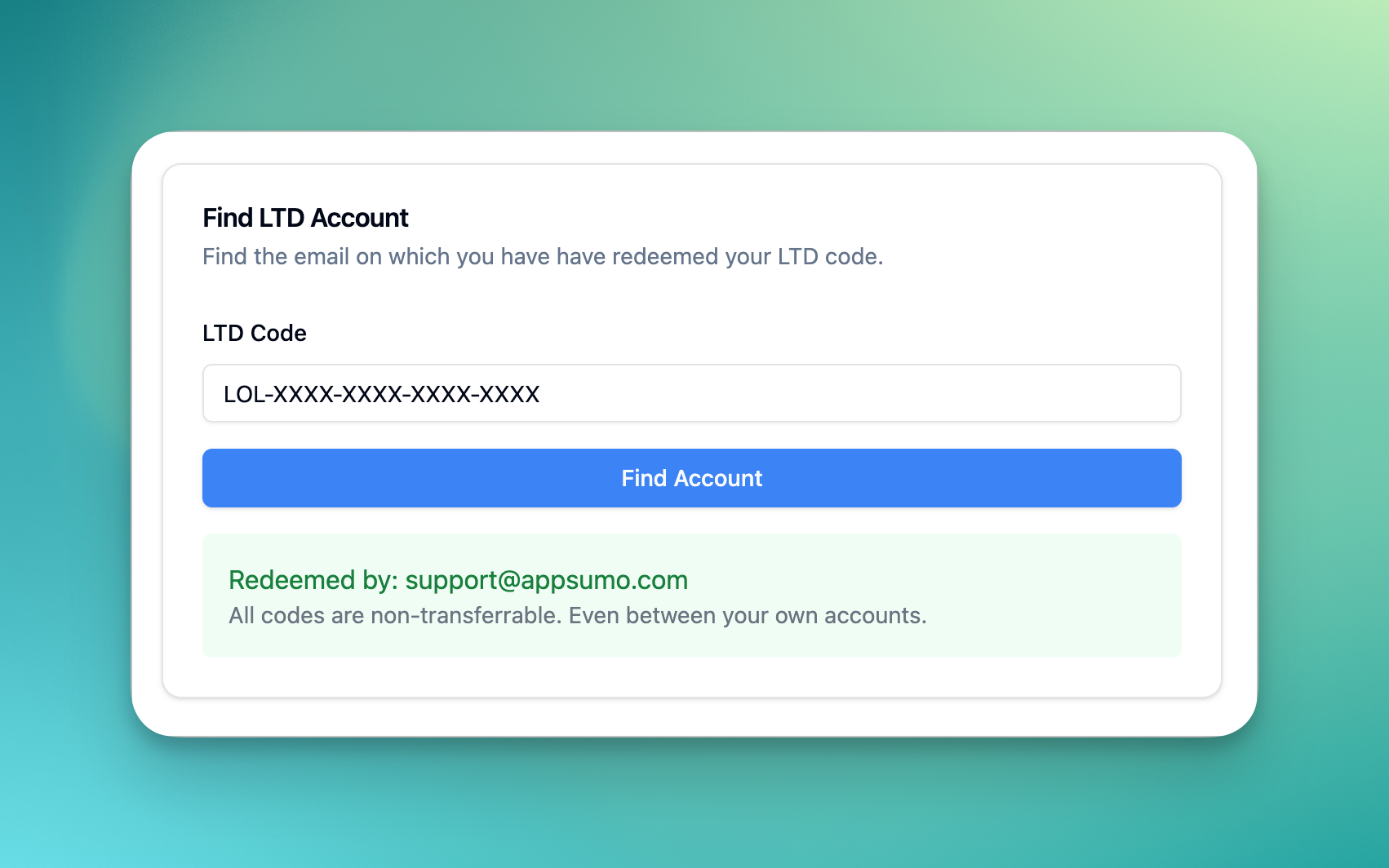
If you believe neither of the above to scenarios are applicable to you and cannot see account benefits on your billing page, you can use the tool below to find your account.
Click here to use LTD account locator
Redeeming codes
All code redemptions are now closed. You can read about this on our blog post. Our support cannot help with any code redemption queries.
FAQs
Does my AppSumo plan have API access?
I forgot to renew my AppSumo code. How can I renew my code now?
AppSumo code renewals are now closed and we cannot offer this anymore. Unfortunately we do not make exceptions under any circumstances. We advice users to contact AppSumo for alternative options about your purchase.
Why am I getting upgrade dialog when using Bulk exports feature
Bulk exports feature is only available on our Unlimited or higher plans. Bulk export feature is not available on our AppSumo plan. You can still export each recording in multiple formats individually.
Was this helpful?
Was this helpful?