Chrome Extension
Transcribe your meetings and webinars on the go with our Chrome Extension
Written By Praveen Pendyala
Last updated About 1 year ago
Overview
Our Chrome Extension is really simple! No meeting bots bs, just one click to record & transcribe your meetings from any platform — Zoom, Google Meet, Teams, Webinars etc.
How to use
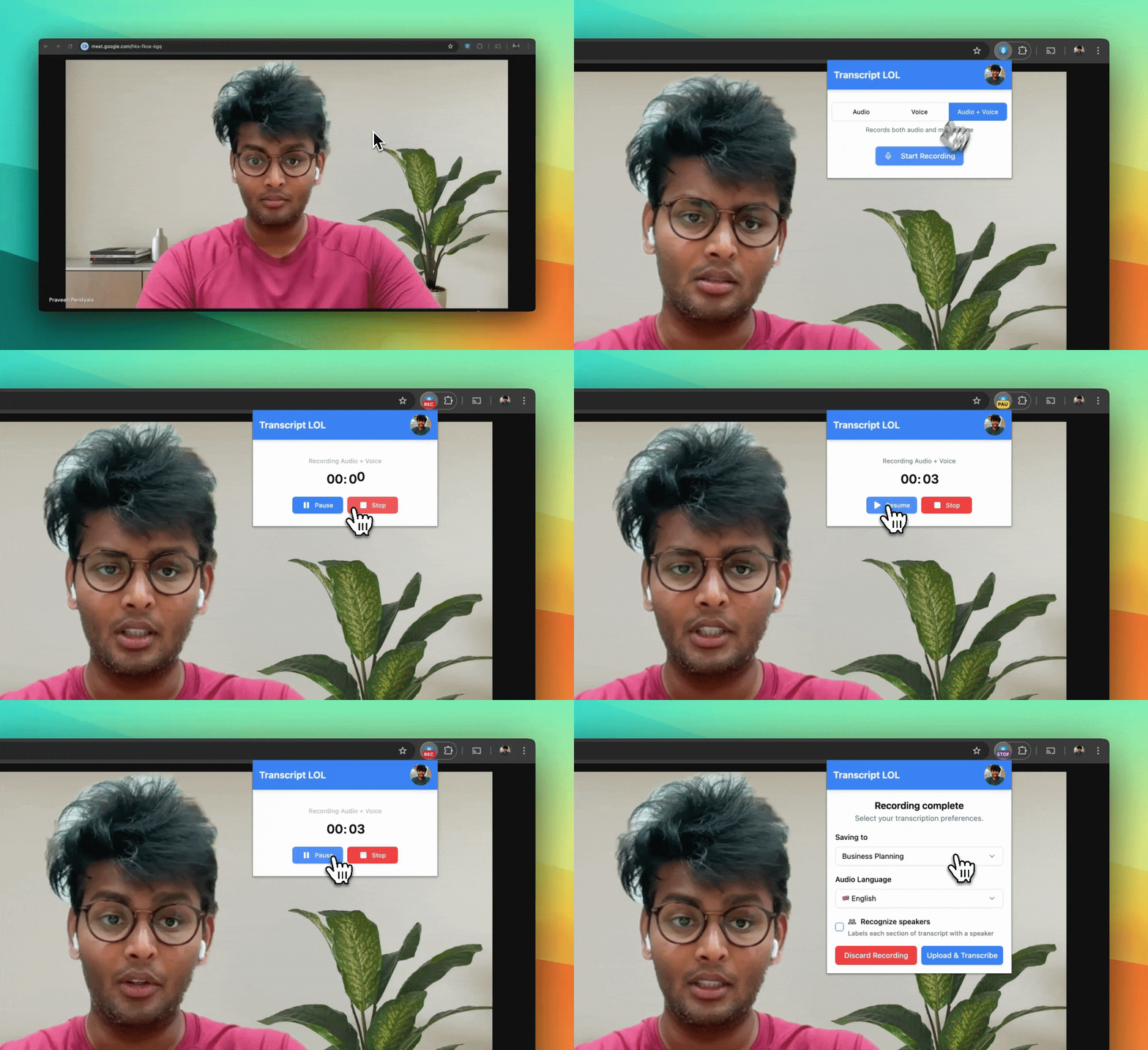
Open the extension & login in to your Transcript LOL account
Open your meeting tab and hit record
Once your meeting finishes: Stop & upload your recording for transcription
How it works
The extension automatically selects defaults based on your last usage and the tab you started the recording from
If you want to record the audio of a tab, always remember to start recording when you are open in that tab
Limitations
Due to the system and security constraints, our extension has limits:
Cannot record system audio — audio playing from outside the selected tab