Zoom Integration
How to transcribe Zoom meetings automatically using Transcript LOL automations
Written By Praveen Pendyala
Last updated 7 months ago
Overview
The Transcript LOL ↔ Zoom integration enables you to import your recorded meetings from Zoom into Transcript LOL and get an accurate Transcription and AI insights such as Summary, Meetings notes, Social Media Posts etc.
Key features:
Manual Importing: Browse your recorded meetings and select meetings to import into your Transcript LOL workspace and generate an accurate transcript.
Automated Importing: Enable our auto import feature to create an accurate transcript using Transcript LOL whenever a new Zoom Recording is available.
Your Zoom account must be on one of their paid plans to be able to:
Record your meetings
Export your recordings to Transcript LOL
If you don’t have a paid Zoom account, please use our official Transcript LOL Chrome Extension to recording your meetings.
Manual Imports
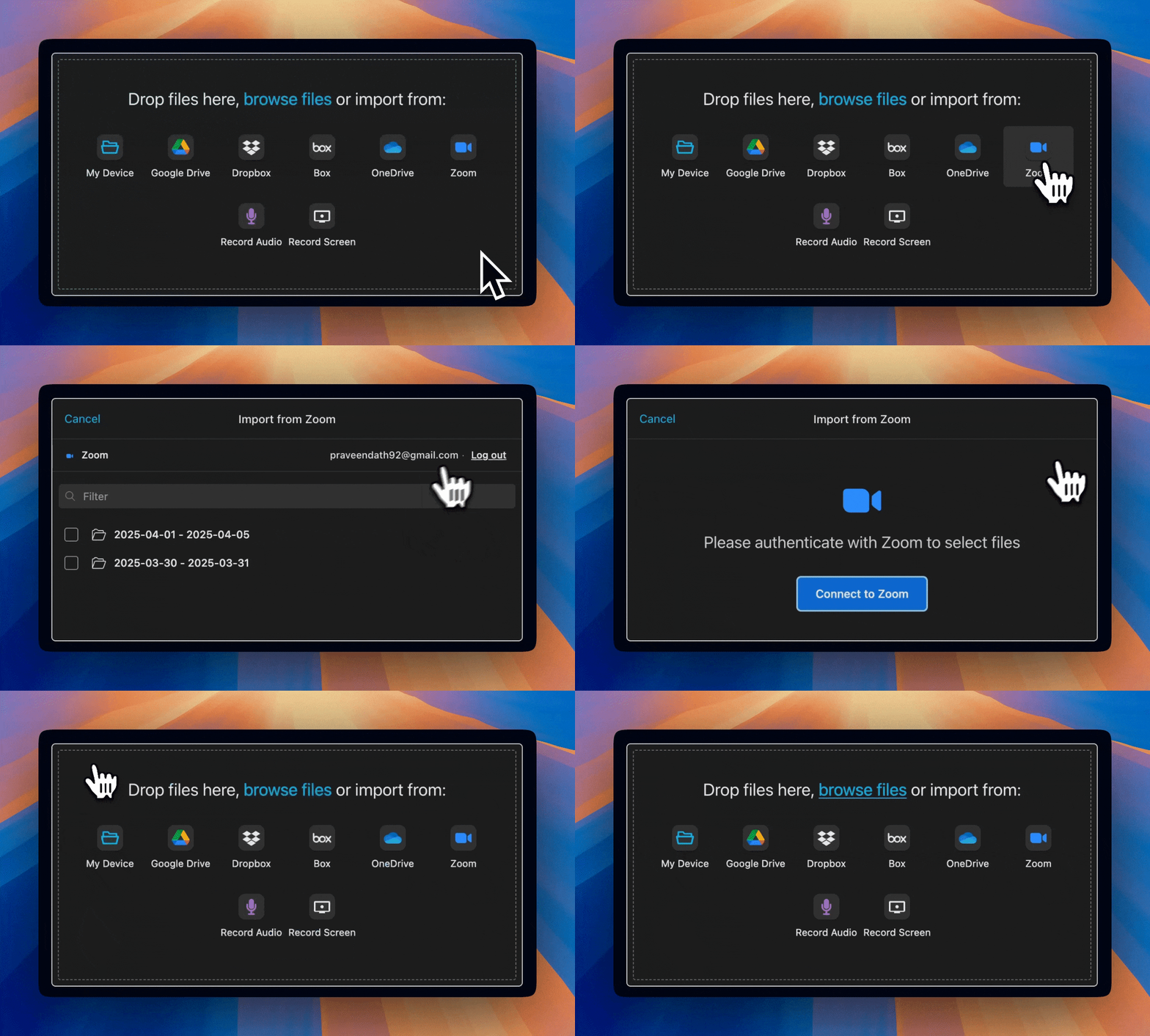
To manually import your Zoom Recordings into a Workspace follow these steps below or as shown in this demo video.
Go to a workspace and click “Import Audio or Video“
Select “Zoom” option from the import UI
Authenticate with Zoom
Select the recorded meetings you want import from the list
Click “Transcribe“ and pick the audio language
This will import the selected Zoom meeting(s) into Transcript LOL and generate a transcript and summary etc.
Don't see any files in Zoom
This usually happens if you haven't recorded any meetings yet or you do not have an Zoom paid subscription active. Even if you recorded meetings in the past, the recordings may not be available if you don’t have an active Zoom subscription.
Automated Imports
The automated import flow can be used to create a set and forget workflow automation between Zoom and Transcript LOL.
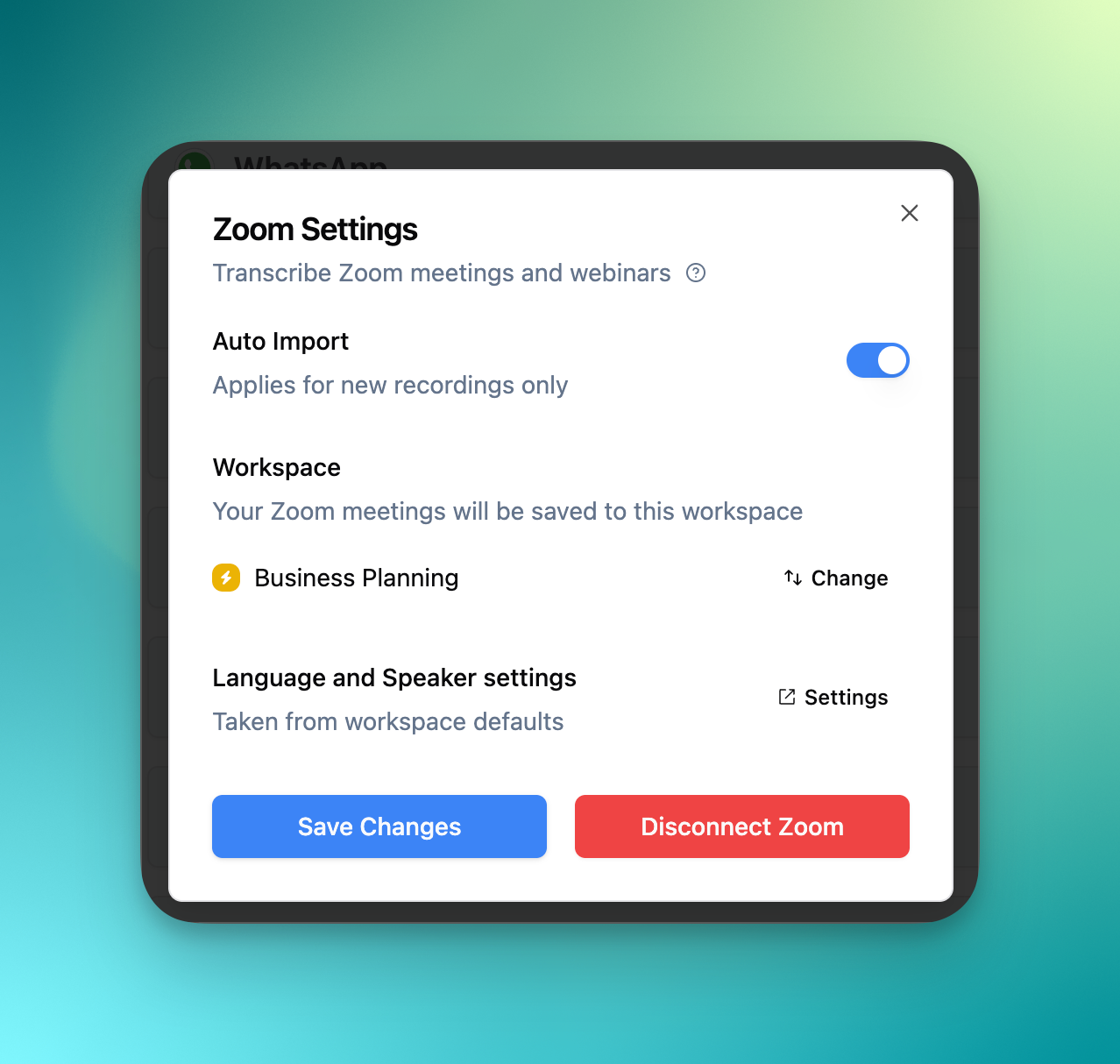
Click on “Setup Zoom“ and complete the authentication
Enable “Auto Import“
Select a workspace where you want to save your meetings
Click “Save“
After this step, Transcript LOL will automatically import and transcribe your recorded Zoom meetings and webinars.
Language and Speaker settings:
To change the default language and speaker settings for your Zoom meetings, simply edit the default settings of the workspace where you have set to save your meetings above.
Automated Exports
For automated exports, we have a number of options. Please see the following articles:
Disconnecting Zoom
You can disconnect your Zoom account with just one click
Automated Imports
Just click the disconnect button in the Zoom integration page and your account will be disconnected and automated imports cancelled.
Manual Imports
Simply click on the Zoom integration in the import interface and select sign out. See the video demo below for these steps.