Bulk Transcription
How to transcribe large volumes of content using your Unlimited Plan
Written By Praveen Pendyala
Last updated 5 months ago
Introduction
Transcript LOL welcomes users with massive transcription requirements. We don't impose hard caps on usage, and our infrastructure supports at least 720 hours of transcription monthly. That's enough to literally transcribe every moment of your life (24 hours × 30 days = 720 hours, or 43,200 minutes)!
As one user put it, "I just upload everything without worrying about limits."
Not Applicable To Most Users
If you transcribe 24 hours or less of audio or video per day (or 720 hours per month), this doesn't affect you and you can skip this article. This article only applies to the top 0.1% of power users with exceptionally large transcription needs.
Fair Use Limits
By default, all paid account have Fair Use Limits to ensure optimal performance for all users and to protect the health of our systems.
The vast majority of our users need quick turnaround times for their daily workflows. If you're transcribing less than 24 hours per day, your files process immediately with fair use protections in place.
99.9% of paid users never need to change anything
For the remaining 0.01% of our power users, you may occasionally run into our fair use limits dialog as shown below. This is temporary and will resolve within the conditions outlined in the message.
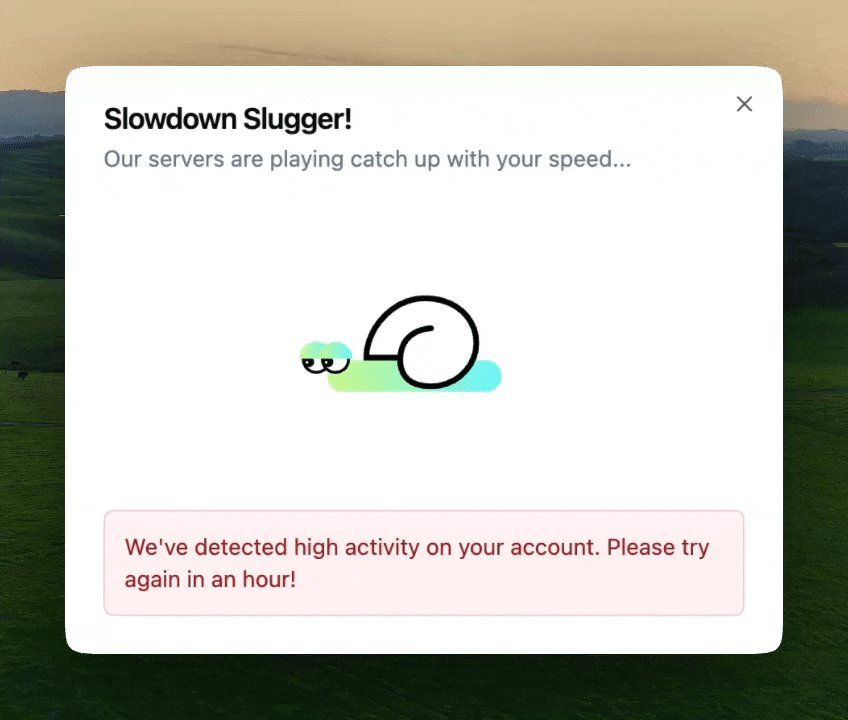
If you see this dialog, use the strategies outlined below to workaround or bypass the temporary limits.
Bulk Imports
You can import a large archive of content into Transcript LOL by using your Unlimited plan (without having to pay us anything extra). Use the following strategy to import your full content catalog:
You can upload upto 10 files at a time. This limit is to mitigate network failures during upload. You can select more files once the upload of one batch is complete.
Upload priority files first — Files process roughly in upload order, so queue your most important content at the beginning.
Use spaces and folders for organisation — Create multiple workspaces and folders to manage large batches. You can export multiple files with just one click.
Follow the weekly rhythm — Visit once or twice weekly to upload batches. Upload files until you see "Fair Use Limits Dialog," then return in a few days. Following this pattern, you can typically upload 100+ hours per session and maximise your monthly volume.
Bypass Fair Use Limits
We noticed that some of our business users are keen to bypass this temporary restriction entirely for any of the following reasons:
You want to import all your content at once — not in batches
You want your content transcribed immediately
You have a constantly growing large volume of content
Disabling Fair Use Limits
To bypass, just enable the Bypass Fair Use Limits option in your account settings and click save settings.
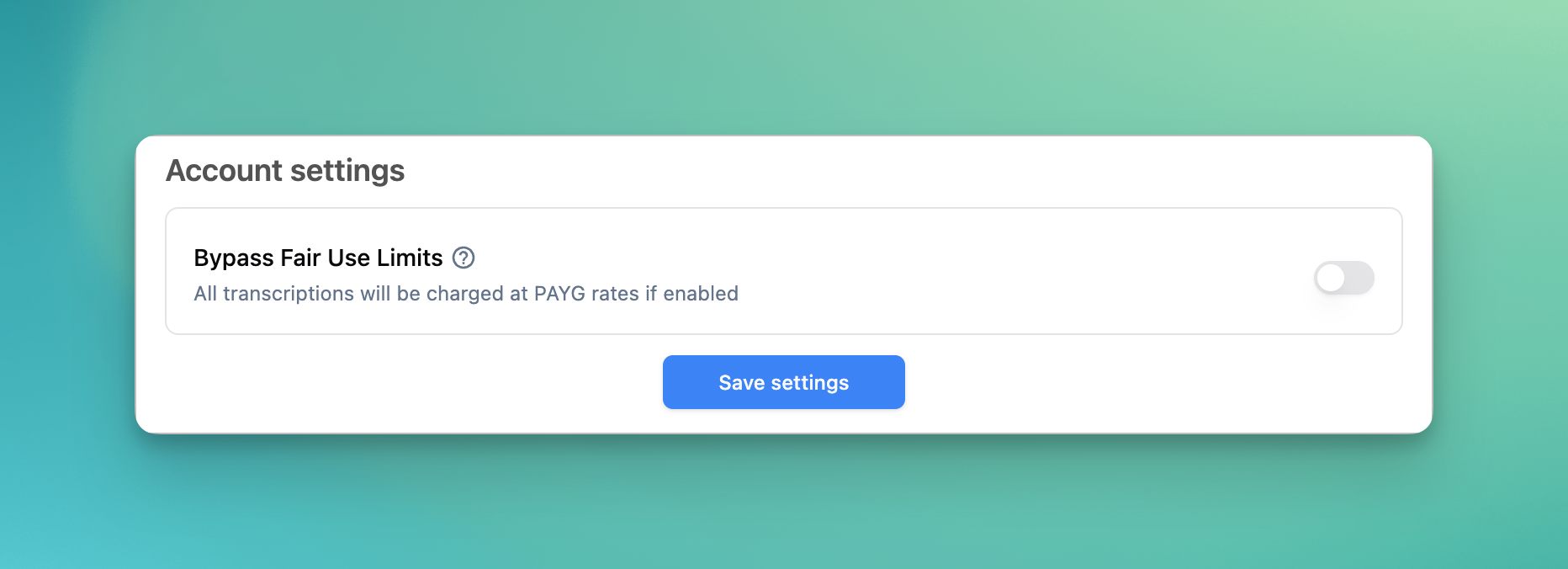
When You Disable Fair Use Limits
All your transcriptions will be charged at our Pay As You Go rates — 60 credits per hour of audio of video
This will consume from your account balance — your plan includes 2000 credits of allowance per seat per month
You can top-up your account anytime for continued usage
Re-enabling Fair Use Limit
You can revert back to Unlimited Free Usage by disabling the “Bypass Fair Use Limits“ option
Unlimited usage will only apply to new transcriptions created after disabling the option
Any recordings uploaded while the bypass setting is enabled, will still consume your account balance
Rapid Turnaround For High Volume
For enterprise-scale projects requiring immediate processing of 1,000-10,000+ hours, contact us about custom bulk processing options. We can offer:
Custom pricing — with volume discounts up to 75% lower costs
Higher concurrency
Quick and Sustained turnaround times