How Credits Balances Work
Learn how credits work in Transcript LOL
Written By Praveen Pendyala
Last updated 5 months ago
Overview
All account balances are denominated in credits
Every account has 2 types of credits
Allowance Credits (resets every month)
Top-up Credits (never expires)
Balances are only relevant for users with a paid account — Unlimited Subscription or purchased one of our LifeTime Deals
You can find all your credit balances under the billing settings in your account
Using Credits
Credits can be used for various features in Transcript LOL. The charges vary based on your account plan.
Manual Transcription
Unlimited Plan — Free
Lifetime Plan — Paid at 60 credits per hour
Automated Transcription
Paid at 60 credits per hour
Summaries, Custom Prompts & Chatbot
Paid per response
Varies by model selected
Order of spending
We always spend from your monthly allowance credits first before dipping into your Top-up credits. Once you run out of both credit balances, our service will reject actions that are paid under your account’s current plan.
Allowance
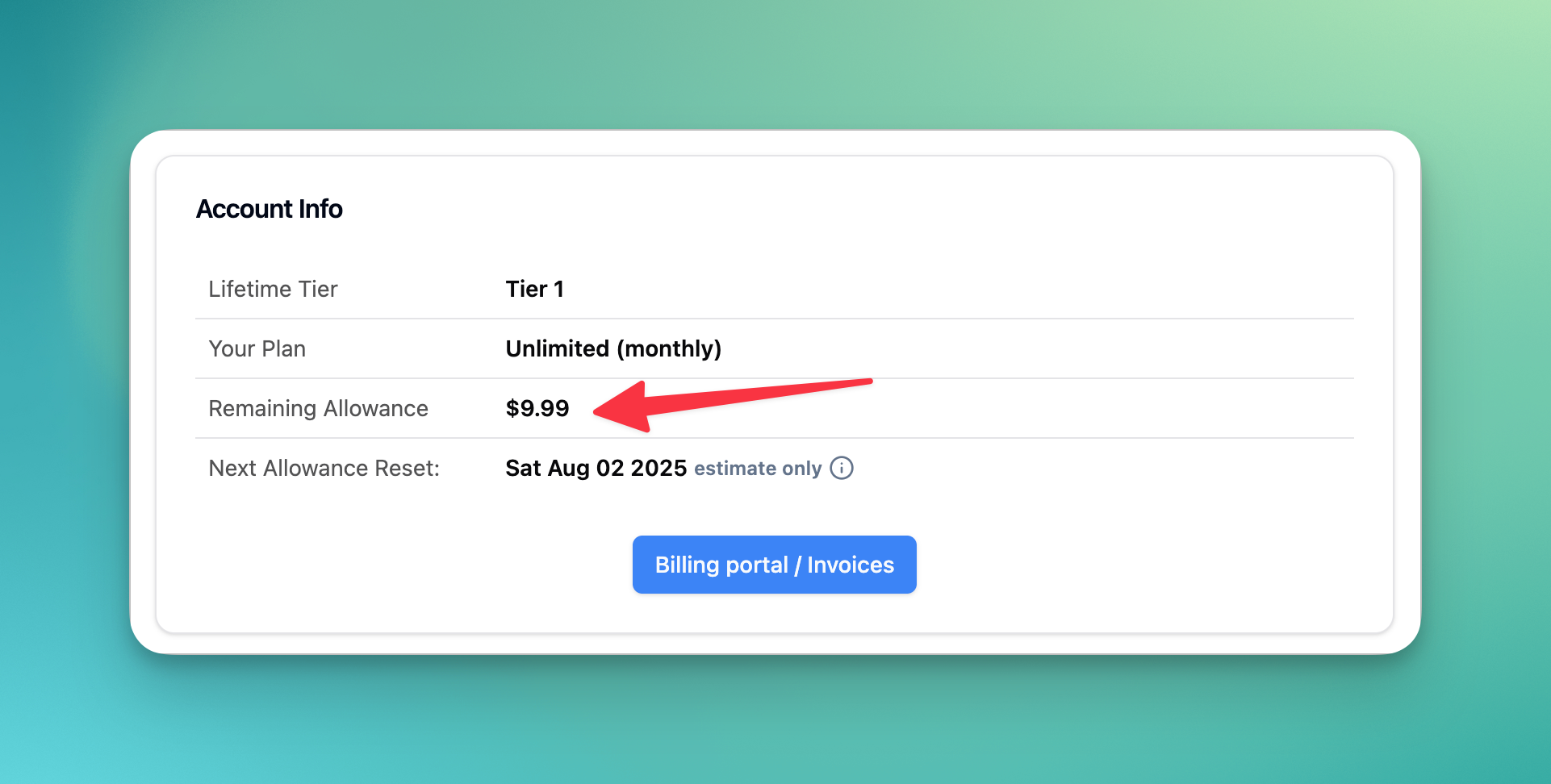
What is monthly allowance
Allowance is the monthly credit added to your account. Only eligible accounts will receive the allowance every month.
Eligibility Criteria
To be eligible for monthly allowance, your account must meet at least one of the following:
You have an active Unlimited Plan Subscription (monthly or yearly)
You have purchased and redeemed a Lifetime Deal on your account
How much do I get
Subscription accounts: You will receive 2000 credits allowance per month per seat
Lifetime accounts: You will receive the equivalent of your LTD benefits as follows:
Tier 1 — 400 credits (equivalent to 400 minutes)
Tier 2 — 800 credits (equivalent to 800 minutes)
Tier 3 — 1600 credits (equivalent to 1600 minutes)
Tier 4 — 2400 credits (equivalent to 2400 minutes)
Subscription Seat Users
The total allowance across all seats in a subscription is always added in the billing account
If you have 2 seats of Unlimited plan, you will receive 4000 (2×2000) of credits allowance in the billing account each month
All seat users can spend the credit allowance from the billing account
The credit allowance within each seat account will always be 0 (unless the seat has their own subscription)
This allows you to reassign seats at anytime and keep all billing under a single account
How does it work
Every month, if your account is eligible, you will receive a fixed amount of allowance (see details below)
Any unused allowance from the previous period will expire at the start of a new period
The exact date of your allowance resets depends on when you started your subscription
Example 1: (monthly subscription)
You subscribed to our Unlimited Plan (monthly) on 12th of August. Your first month allowance is added immediately after your payment is cleared. Every month, roughly around the 12th, we recycle your allowance once Stripe confirms the payment for your subscription renewal. This can be delayed if your payment has delays.
Example 2: (annual subscription or LTD account)
You subscribed to our Unlimited Plan (annual) on 12th of August or redeemed your Lifetime codes on 12th of August. Your first month allowance is added immediately upon payment or redemption. Every 30 days, we recycle your allowance. The exact date and time of the recycle may vary by up to 24 hours due to technical constraints of our cron jobs — so your 2nd recycle may happen between 11th to 13th of September.
Credit Top-ups
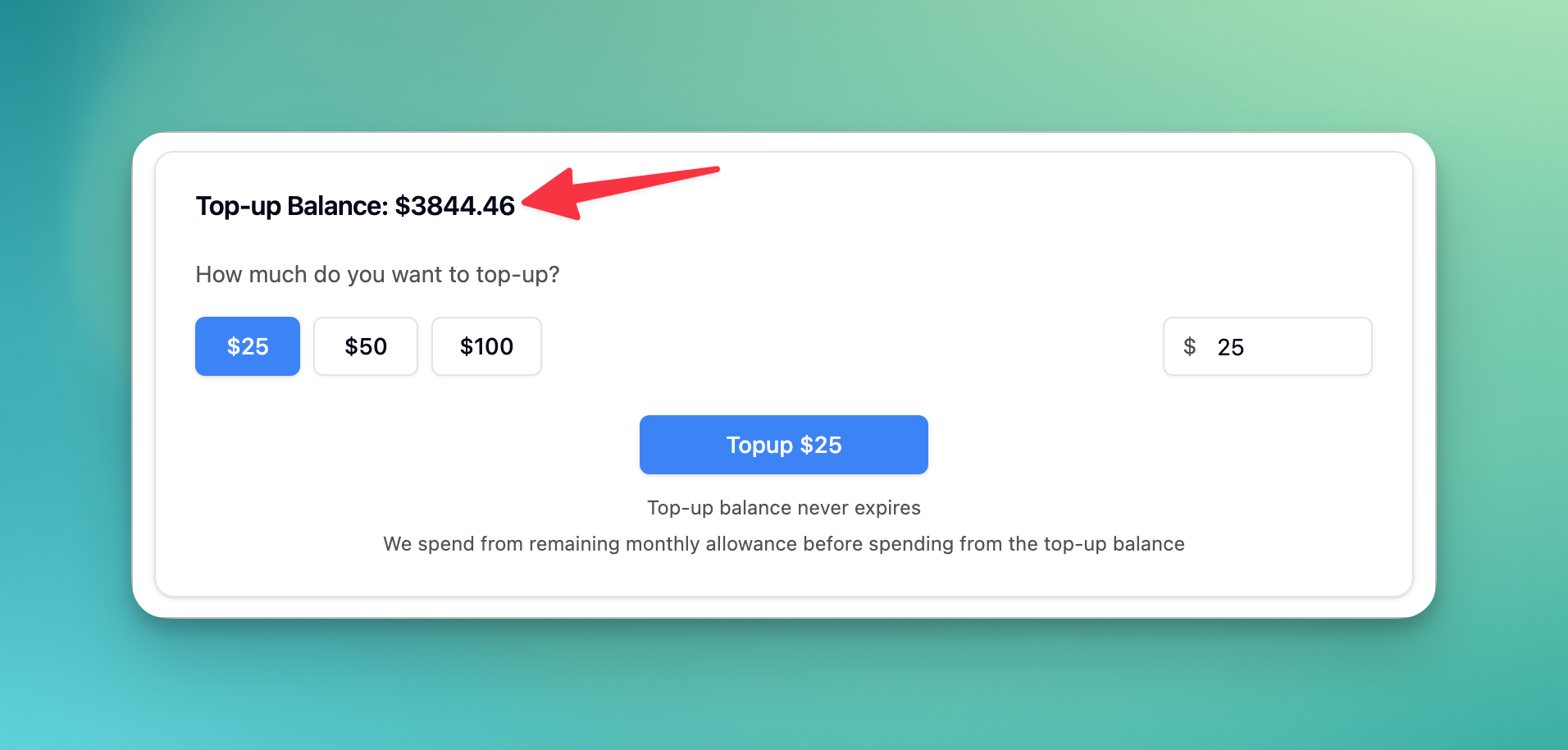
What is Top-up Credit Balance
Top-up credit balance reflects any manual top-ups you performed in your account. These credits never expires and can be used in conjunction with an active subscription.
Top-up Credits Access
You must have an active subscription to our Unlimited Plan to access your top-up credit balances
Your top-up balance stays in your account even when you cancel your subscription
You will need an active subscription to view, add, or spend from your top-up balance