Cancelling Your Subscription
As quick and simple as signing up
Written By Praveen Pendyala
Last updated About 1 year ago
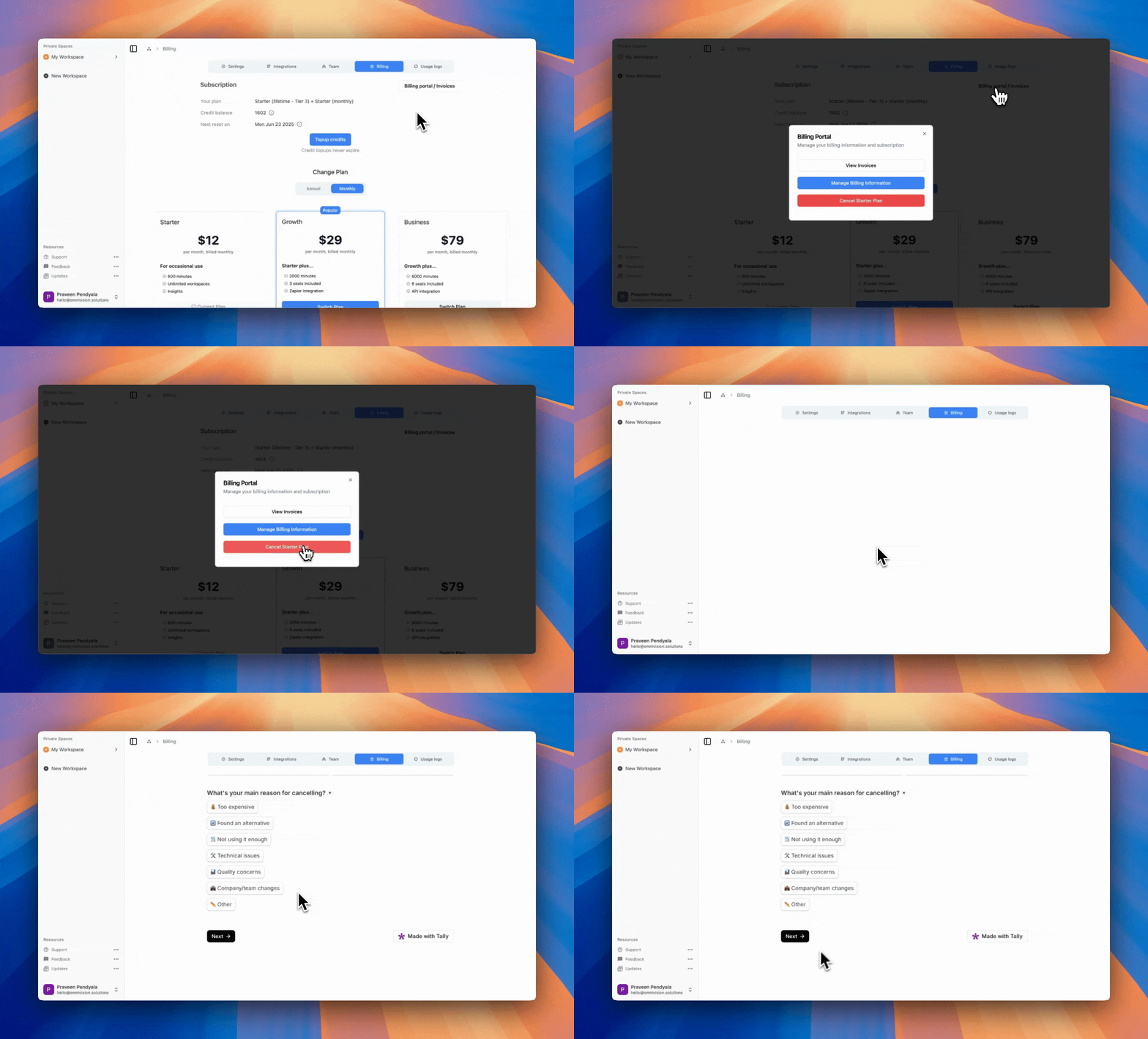
To cancel your subscription follow these steps
Click on “Billing Portal“ in the top right and then select “Cancel Subscription“
This opens a short exit survey
After the survey, just confirm “cancel subscription”
You can continue to use your current plan benefits until the last day of your existing subscription.
You should be able to see when you subscription is ending on your billing page.
Renewing Subscription
If you change your about about cancellation; anytime before the end of your subscription, you can renew it (stop the cancellation) by clicking the renew button on your billing page.
Restarting Subscription
After your subscription ends, if you would like to come back, just simply subscribe to one of our subscription plans