Changing Account Email
How to change the email address associated with your account
Written By Praveen Pendyala
Last updated 12 months ago
Requirements
Email change is only possible if your account and new email address all of the following conditions:
Email change is only possible for users on our Unlimited Plan
Your new email address must not be associated with a Transcript LOL account
Your new email address must never have been used with Transcript LOL
Your account must have a password set
You must have access to receive emails on your new address
How To Change Account Email
To change your account email:
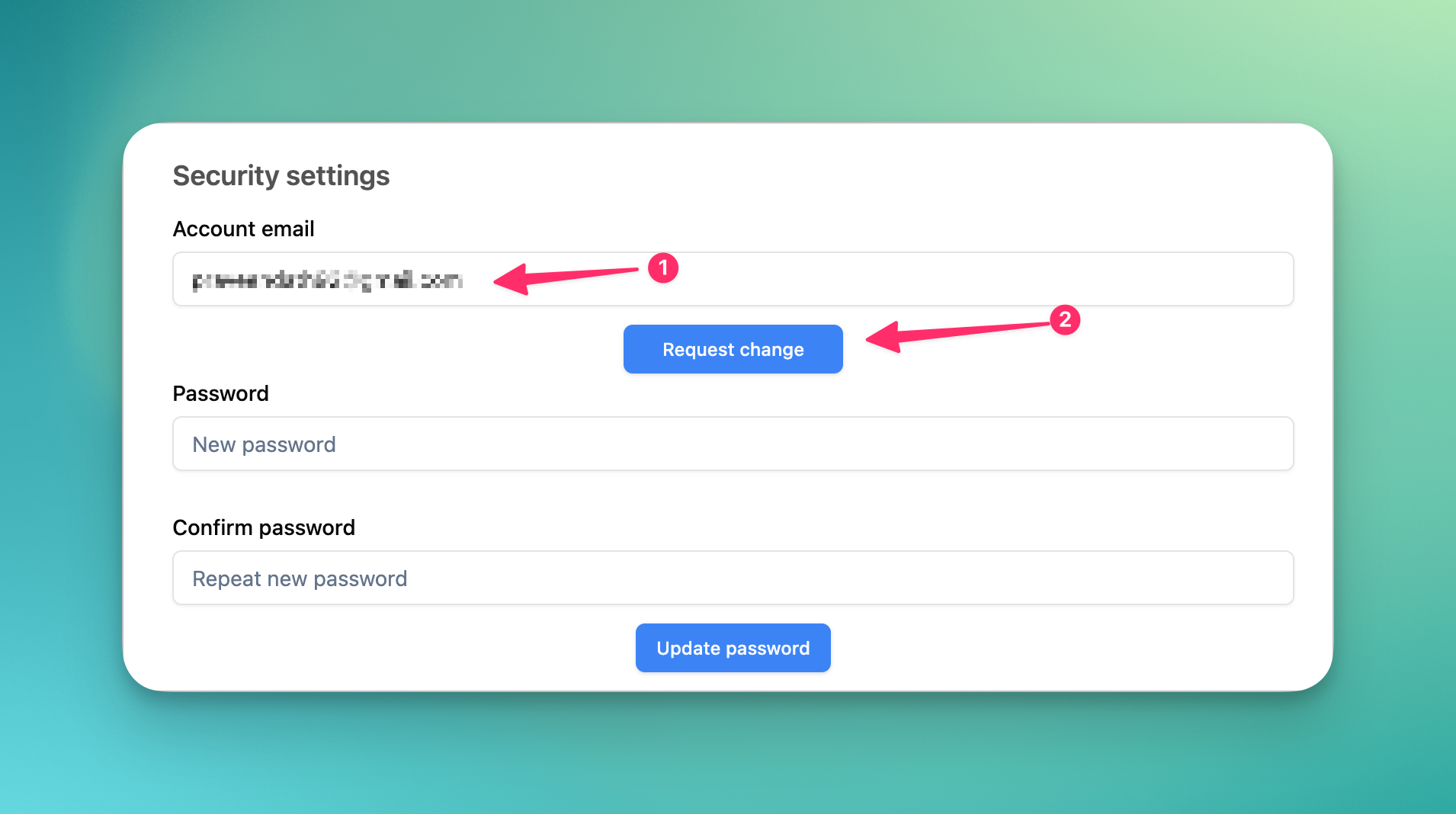
Head to account settings and under security settings, enter your new email address
Click “request change” to send a email confirmation to your new address
Once you confirm your account email will update to the new address
Lifetime Accounts Special Notice
Lifetime account users from AppSumo or other platforms are NOT eligible for email change in accordance with the above requirements.
This is to prevent account resale abuse we have experienced in the past. This is prohibited by the terms of your Lifetime Deal.
Our recommendation for AppSumo users looking to change email is to take a one-off subscription to our Unlimited plan — this will give you unlimited transcriptions for that month and also the ability to change your account email.
Our recommendation on this matter is clear and our support will not be able to assist with email changes unless you have you are on our Unlimited plan.